A billing counter that runs on the computer you already have.
Ring up a sale, take the money, print the bill. It opens in a browser, it keeps working when the internet does not, and the customer can see every line as you add it.
Free to open at pos.zuuvy.in · installed version 0.8.0
pos.zuuvy.in
Why counters keep it
Nothing to buy
It opens in the browser already on your counter. No new machine, no box, no wiring.
Keeps selling when the internet stops
The till carries on billing on its own and sends everything through the moment the line comes back.
The customer sees the bill
Every item and the total on a screen turned towards them, with the payment code beside it — so the amount is agreed before the money moves.
Built for hands, not for mice
Scan, type, or press a key. A busy counter never has to reach for the mouse.
What it looks like on the counter
Real screens from the till running against a demo shop — not drawings of one.
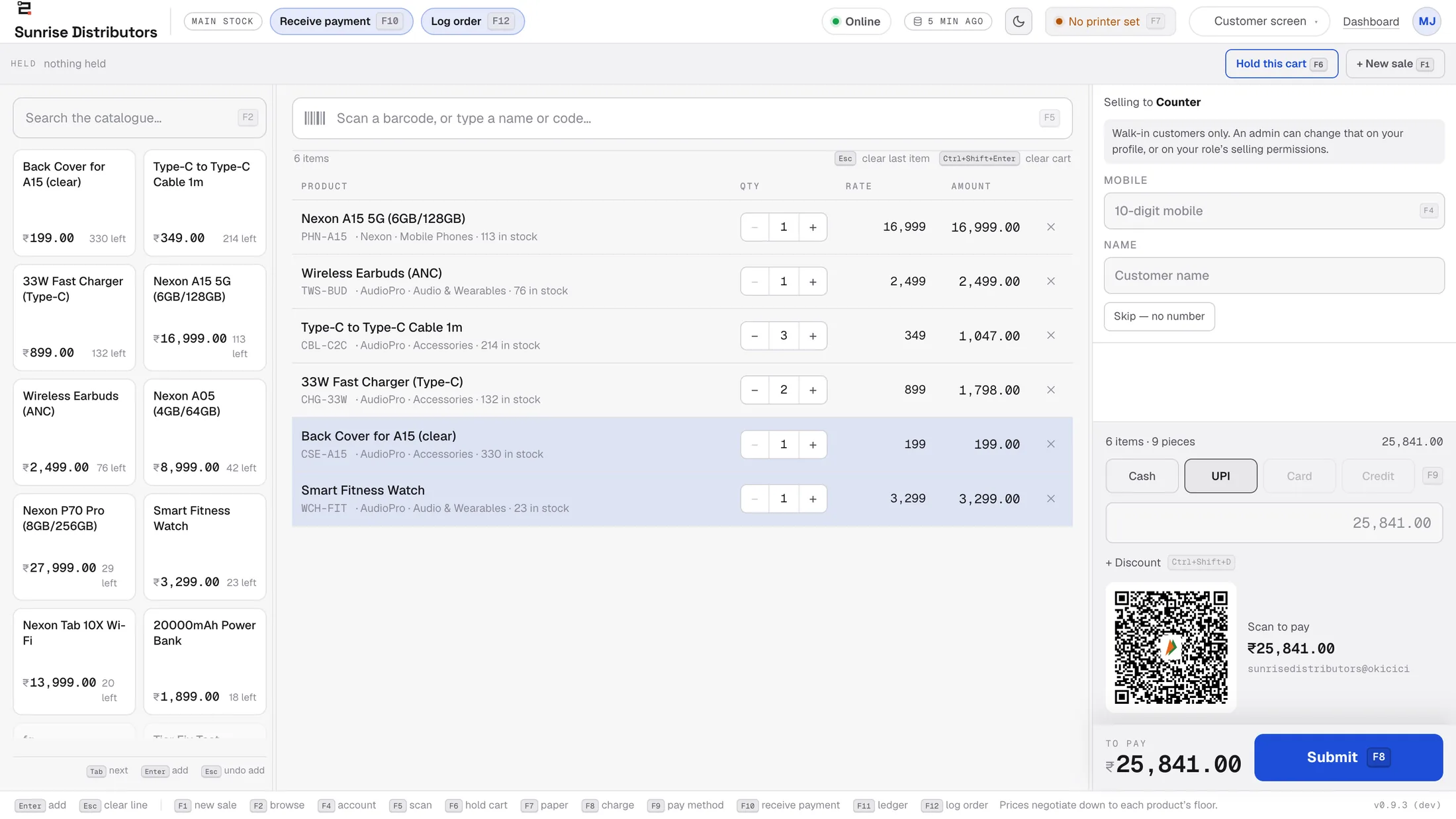
Ring up a sale
The catalogue on the left with prices and what is left in stock, the bill in the middle, and the money on the right. Scan a barcode or type a name — nothing here needs a mouse.
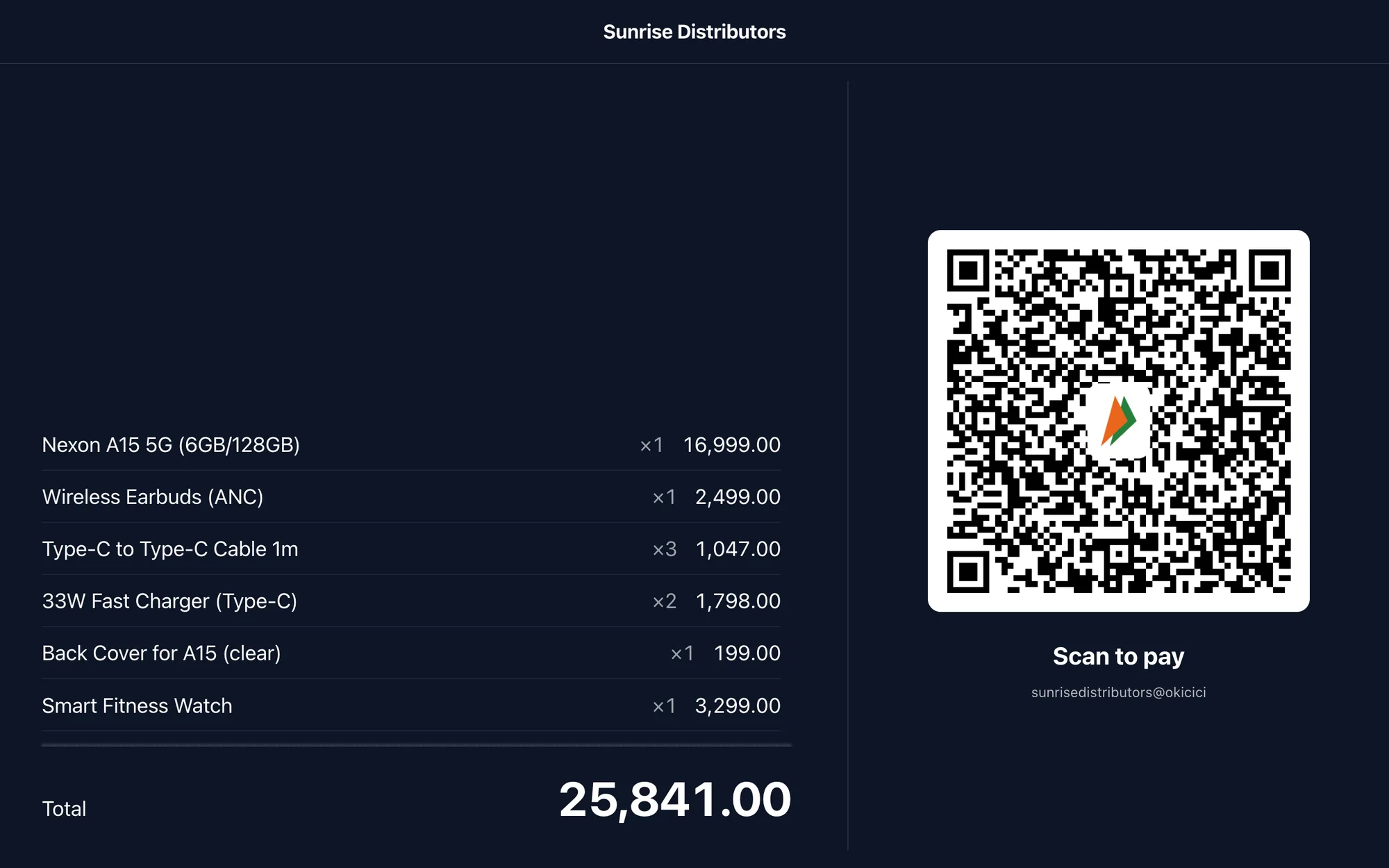
And the customer watches it happen
The same bill, on a screen turned towards them: every line, every quantity, the total, and the code they scan to pay. The amount is agreed before the money moves, so there is nothing to argue about afterwards.
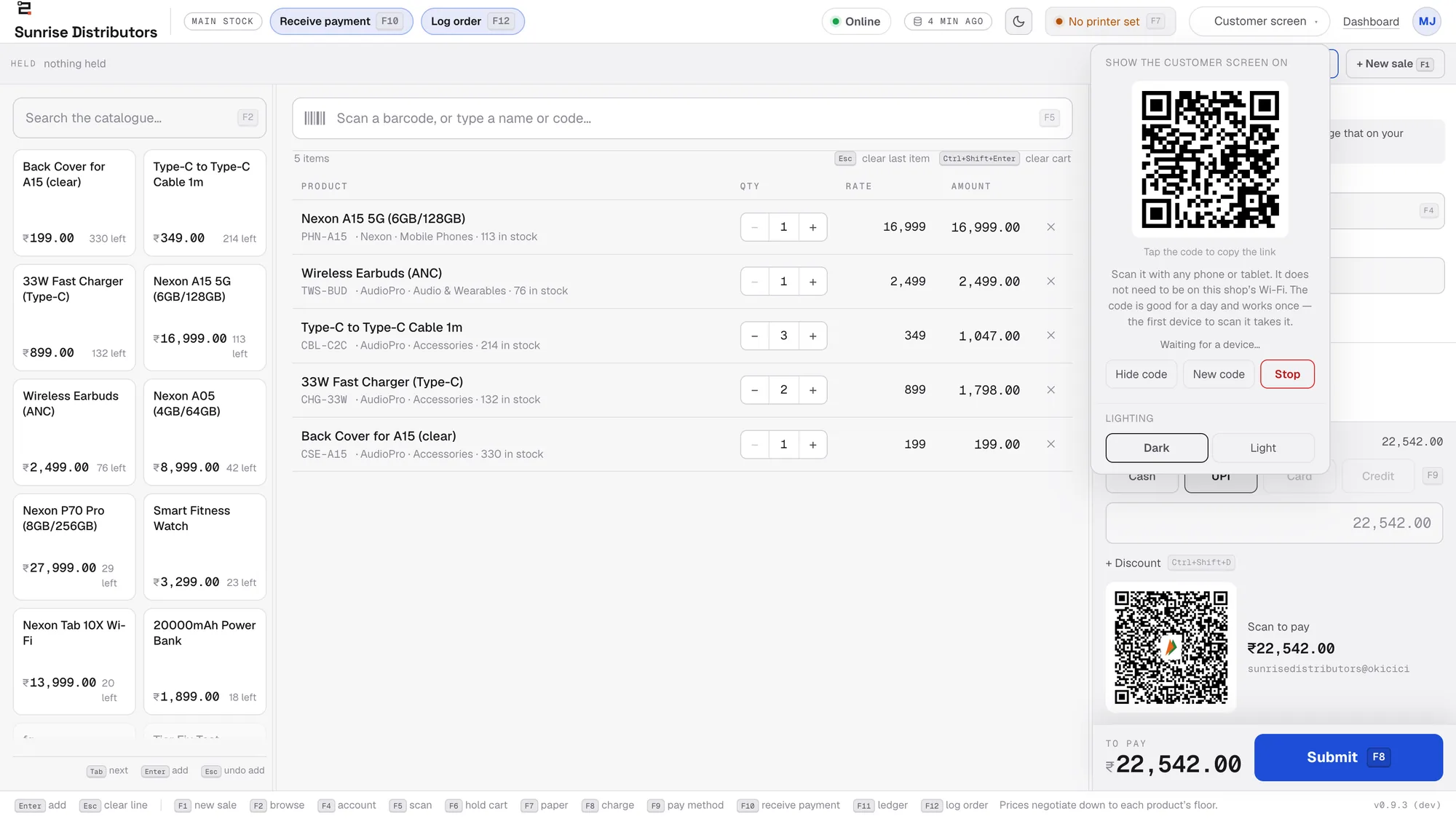
Any phone or tablet becomes that screen
Scan one code and the device is your customer display. It does not have to be on the shop's Wi-Fi, and there is nothing to buy — an old phone on a stand will do.
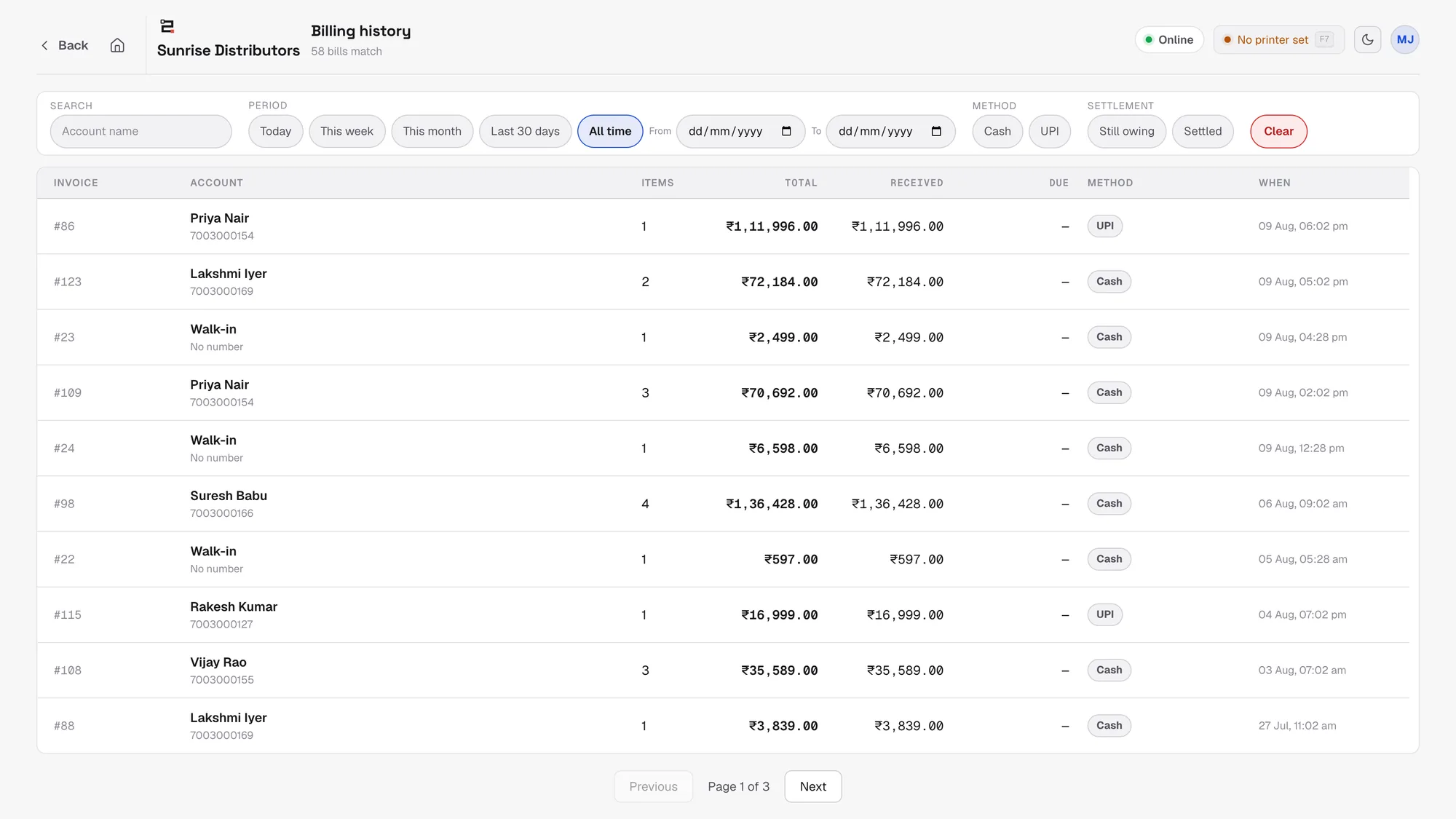
Every bill you have made
Search by customer, narrow to a week or a month, or show only the ones still owing. What was billed, what was received, and what is left, on one line each.
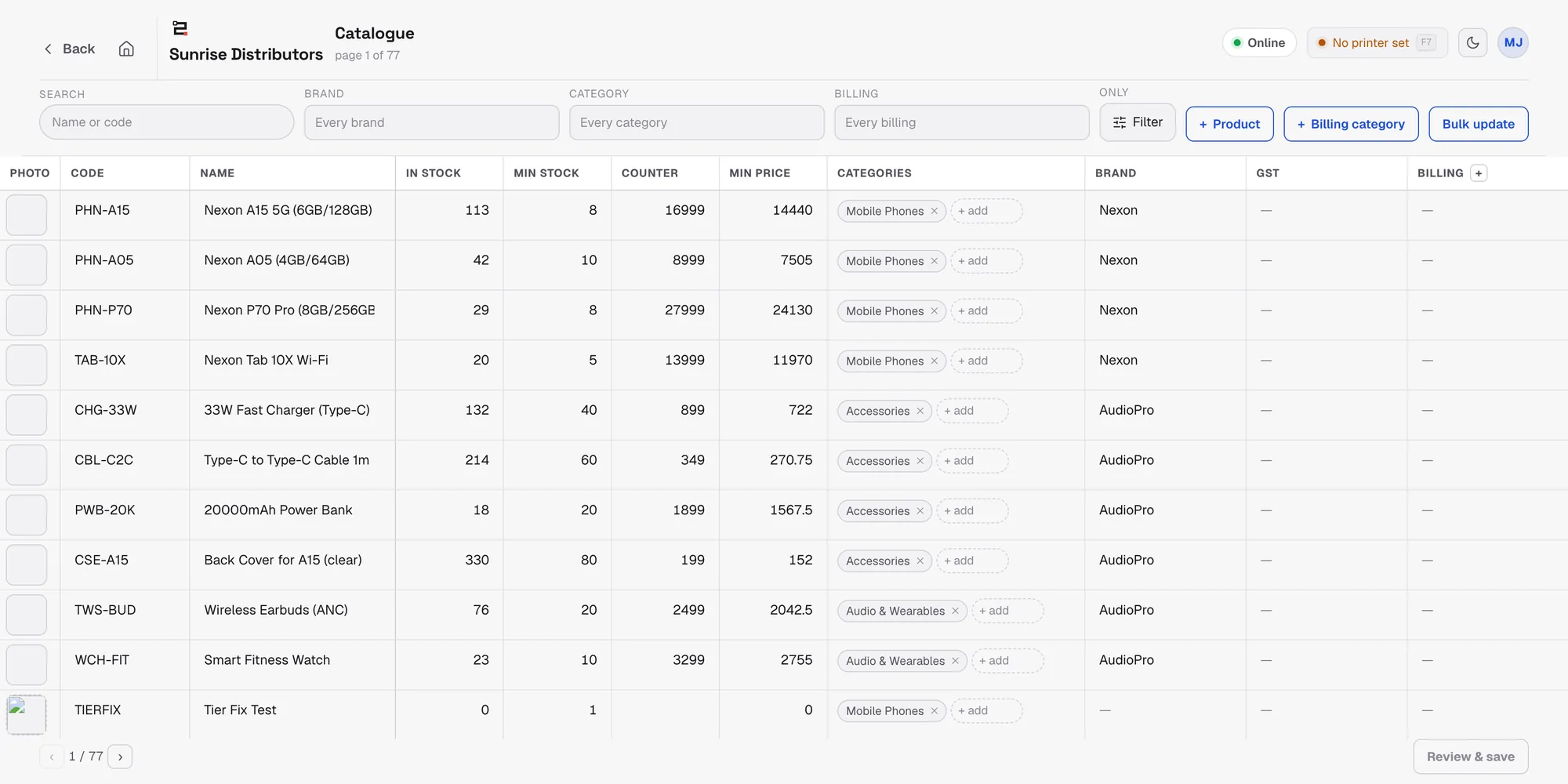
Prices and stock, edited in a grid
Change a price, a minimum stock level or a price floor across many products at once, rather than opening them one at a time.
The internet goes. The shop does not close.
A counter cannot stop selling because a line went down, and a till that says “no connection” is a queue at the door. This one carries on: the catalogue and your prices are already on the machine, the sale is billed and held, and the moment the line is back it all goes through. A sale cannot be sent twice, however many times it retries.
Everything it does
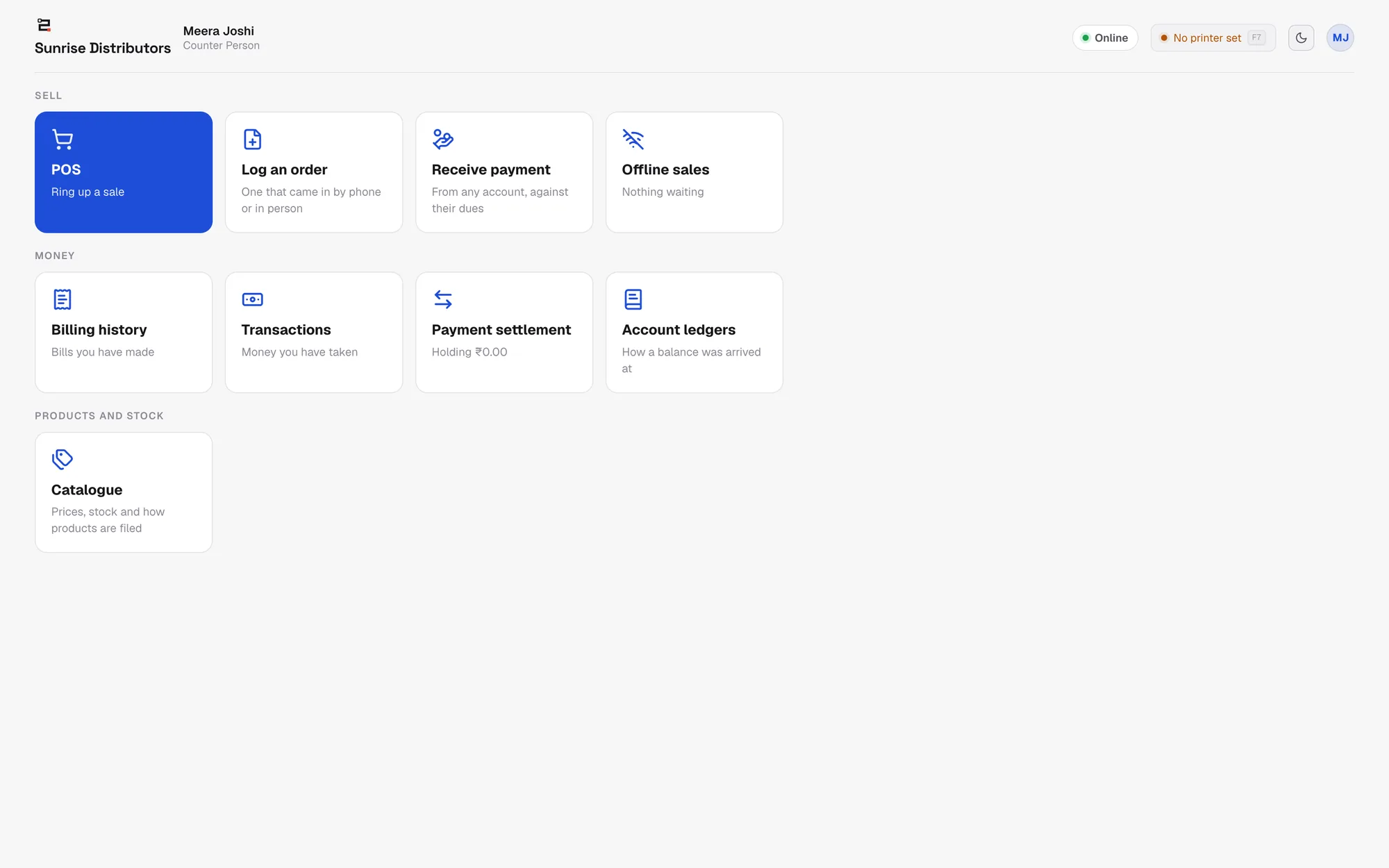
Grouped the way a counter's day is, rather than as one long list.
Ringing up a sale
Scan a barcode, or type a name or a code — the catalogue is on the screen with prices and what is left in stock
Change a quantity, take a line off, or clear the last thing you added, without starting again
Park a cart when somebody goes back to the car, and pick it up where you left it
Take money as cash, UPI, card, or on credit against a customer's account
Give a discount off the whole bill, and let staff negotiate down to a price floor you set — never below it
Put a mobile number and a name on the receipt, or skip both for a walk-in
Getting paid
A UPI code carrying the exact amount, so the customer cannot mistype it
The code shows on the customer's own screen, not on the cashier's monitor
Cash tendered with the change worked out, and the usual round-number buttons
Sell on credit and the amount lands against that customer's balance the same second
Take a payment against old dues without ringing up anything new
The customer's screen
Turn any phone, tablet or spare monitor into a customer display by scanning one code
It does not have to be on your Wi-Fi — the code works over the internet too
Every line, every quantity and the running total, as the cashier adds them
The payment code appears on it as soon as UPI is chosen
Light or dark, whichever your counter is easier to read in
When the internet goes
The till keeps billing — it does not stop, and it does not lose the cart
Every sale made offline is held on the machine and listed so you can see exactly what is waiting
It sends everything through when the line comes back, and a sale cannot be sent twice
The catalogue and prices are kept on the machine, so the shelf figures are still there
The money afterwards
Every bill you have made, searchable by customer and by date, with what was received and what is still owed
Filter to just the unpaid ones, or just the ones taken by UPI
Every payment taken at the counter, in one list
What the person on the till is holding and has not settled yet
An account ledger that shows how a balance was arrived at, line by line
Products and prices
Prices, stock, minimum stock and the price floor, editable in a grid rather than one product at a time
Filter by brand, category or billing category, and change many products in one pass
Add a product without leaving the till
Different prices for different kinds of customer, so a dealer and a walk-in are not argued about
On the counter machine
Runs in any modern browser — nothing to install if you do not want to
Install it on Windows or a Mac for its own window, its own icon, and printing without a dialog every time
Print A4, A5 or a thermal receipt; send the same bill as a PDF over WhatsApp
More than one person can have their own sign-in on the same machine
It updates itself, and tells you which build it is on
Three ways to run it
The same till either way. Installing it only changes what the machine can do for you — printing without a dialog, and a second screen for the customer.
In the browser
The quickest way to try it
Go to the address and sign in. Nothing to install, and it works on Windows, Mac, Linux or a tablet.
On Windows
The usual counter machine
An installer that gives the till its own icon and window, prints without a dialog, and drives a second screen for the customer.
On a Mac
Same app, same counter
The same installed till, built for Apple silicon, with an Intel build for older machines.
You will need an account to sign in — accounts are created by the business that subscribes, so there is no public sign-up. If you do not have one yet, book a demo and we will set one up on the call.
The counter is one of five screens
Zuuvy POS is the till. The same records are read by four apps — the office, the salesmen on the road, the warehouse, and the trade customers who buy from you — so a sale at the counter and a sale from a van are the same kind of row in the same books.
You do not have to take any of it to use the till. See the rest of the platform when you want to.
Want to see it on your own products?
Pick a time that suits you. Half an hour, and we will go through a day at your place — what you sell, who sells it, and where the money goes missing.